Today’s SaaS products face twin demands: the digital identity layer must be seamless and enterprise-grade, and the data layer must scale globally while remaining reliably consistent. Meanwhile, customers expect Single Sign-On (SSO), multi-tenanted onboarding, and seamless fine-grained access control, while engineering teams must ensure data isolation, global performance, and maintain both availability and strong consistency.
Balancing both of these requirements is notoriously hard. Identity systems are complex to manage and secure; multi-tenant databases can easily become bottlenecks or compliance risks if designed incorrectly.
That’s why the collaboration between Phase Two and CockroachDB is so compelling. Phase Two provides a managed Keycloak platform that handles authentication, authorization, and user federation. CockroachDB provides a globally distributed SQL database that ensures transactional consistency and tenant isolation at scale. Combined, they deliver a powerful foundation for multi-tenant SaaS platforms that are secure, resilient, and scalable.
Introducing Phase Two
Phase Two offers fully-managed hosting, enterprise support, and operations for Keycloak, which is an enterprise-grade, open-source identity and access management (IAM) system. Because Phase Two handles infrastructure, upgrades, backups, and security patches, teams can focus on product features rather than managing IAM servers. Key Phase Two features include:
Multi-tenant aware identity management: realms, clients, roles, SSO connections
Federated identity-provider support: Google, Azure AD, SAML, OIDC
Admin portals, user self-service, extension capability
Managed infrastructure: patches, upgrades, high-availability, backups
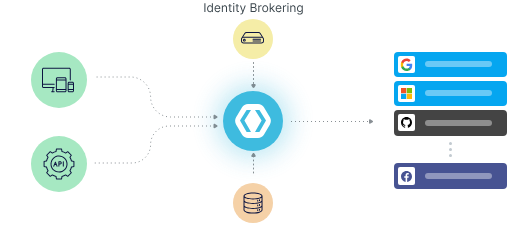
PhaseTwo: a fully-managed identity toolset
For SaaS builders, the biggest win is time to market. With Phase Two, they can ship secure authentication and enterprise SSO in hours, not weeks.
Introducing Keycloak
Keycloak is an open-source identity and access management solution designed for modern applications and services. It supports authentication, authorization, federated identity linking, and user management out of the box.At its core, Keycloak sits between your applications and users: It handles login via standard protocols such as OpenID Connect (OIDC) or SAML, issues security tokens (such as JWTs), and manages sessions, roles, and permissions.
For production usage, the Keycloak documentation emphasizes that the underlying database is critical for performance, availability, and integrity, and that a clustered deployment (with two or more Keycloak instances) is required for high availability.Keycloak supports high-availability architectures and multi-site deployments, enabling resilience across zones or regions.
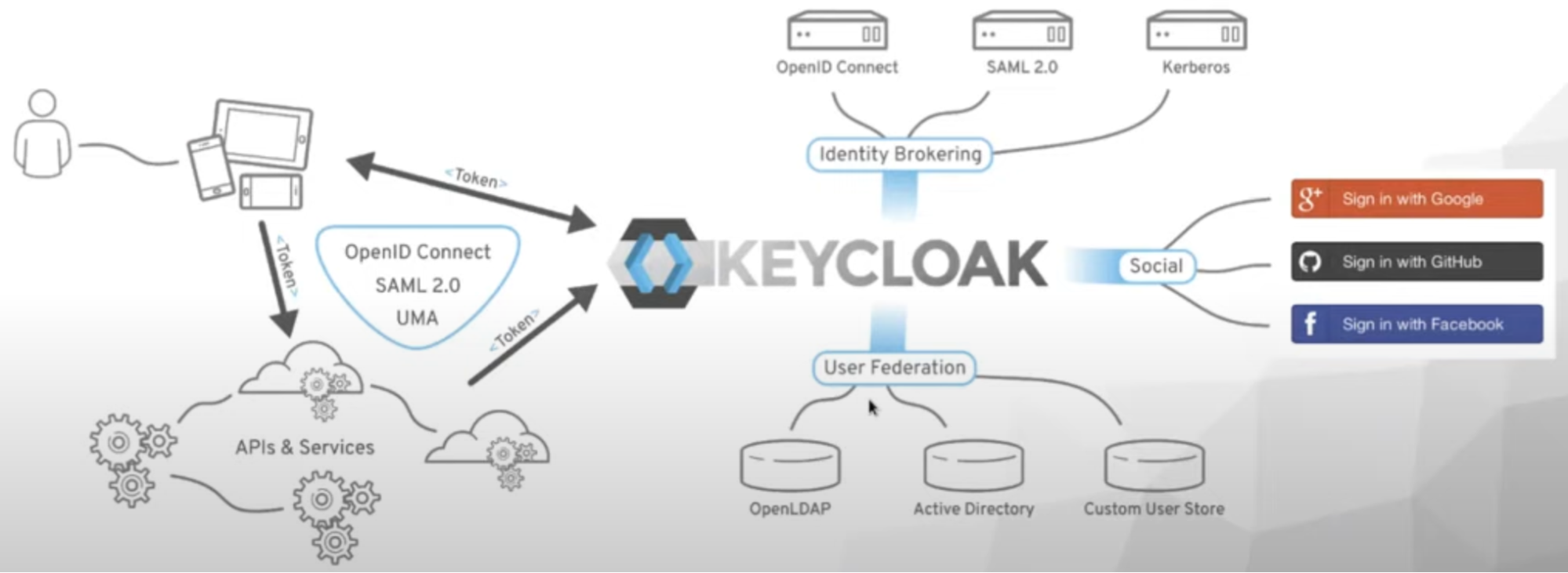
Identity and Access Control Features in PhaseTwo
With Keycloak by itself, an organization gets a mature, open-source identity platform. But running it at scale, especially in a SaaS environment where many tenants and many regions must be supported, demands a data layer that can match the identity system’s availability and consistency. That is where Phase Two’s enhancements and the integration with CockroachDB come into play.
Why Phase Two + CockroachDB?
Combining Keycloak with CockroachDB unlocks major technical benefits:
Scalability: CockroachDB’s architecture enables Keycloak deployments to scale horizontally, handling large volumes of users and authentication traffic.
High Availability & Fault Tolerance: With CockroachDB’s fault-tolerant core, even if hardware or regional failures occur, the identity system remains available.
Strong Consistency: Identity systems must not have split-brain or stale data; CockroachDB’s distributed SQL model ensures consistency across nodes.
Cost Efficiency: Horizontal scaling allows infrastructure cost growth to be more predictable than adding vertical “beefy” database instances.
Performance: Impressive latency metrics in production: 99th percentile latency under 10 ms, 90th percentile under 5 ms.
In short: Phase Two handles “who is accessing what and when,” while CockroachDB manages “where the data lives and how it’s accessed.” It’s a powerful combination for multi-tenant SaaS architecture.
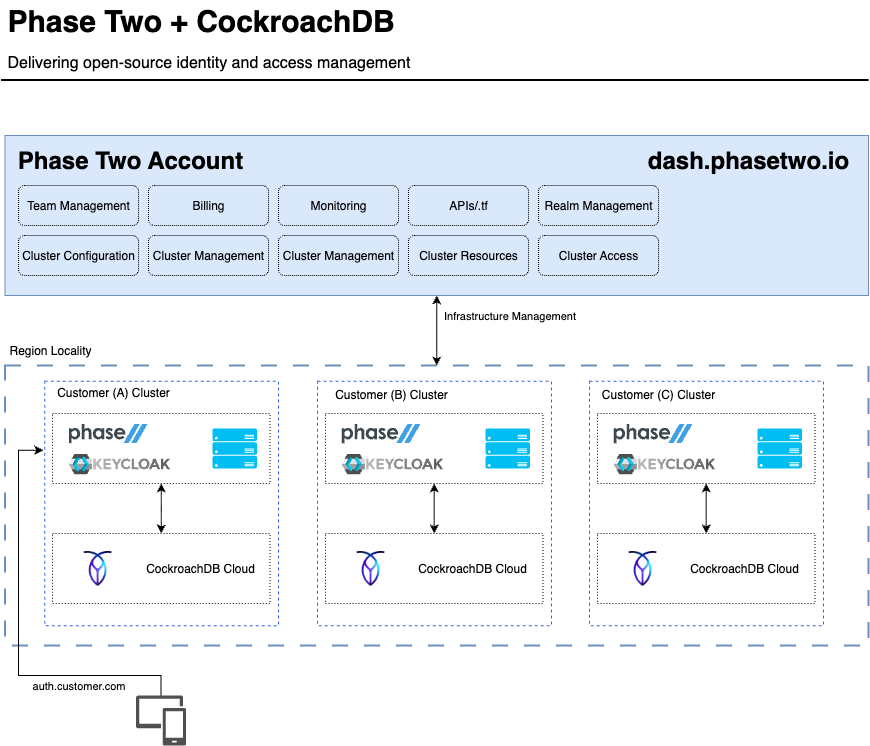
PhaseTwo + CockroachDB joint architecture
When you design a high-volume identity platform that needs global availability, strong consistency and seamless scaling, the architecture centers on the application layer and the identity layer. In this scenario, the identity layer is provided by Phase Two, backed by CockroachDB as a storage backend.
Phase Two provides a centralized management platform for teams to configure and monitor identity clusters. From the management console, accessible at dash.phasetwo.io, administrators handle everything related to infrastructure and identity management:
Team Management, Billing, and Monitoring let admins oversee usage, costs, and operational health.
APIs/.tf indicates Terraform and API access, allowing programmatic provisioning of clusters and resources.
Realm Management gives control over Keycloak realms, users, and identity configurations.
Cluster Configuration, Cluster Management, Cluster Resources, and Cluster Access are used to deploy, scale, and connect to managed clusters.
Essentially, this layer is the control plane – it governs how underlying clusters and identity instances are created, maintained, and integrated. This control plane simplifies the deployment and management that would otherwise require DevOps knowledge and release management.
Each customer runs its own environment, managed and hosted by Phase Two for isolation and compliance. Within each cluster, Keycloak stores and retrieves user, session, and realm data from CockroachDB. Each cluster operates (independently) customers’ data and identity configurations do not overlap.
Phase Two orchestrates these deployments, ensuring that Keycloak and CockroachDB remain synchronized, highly available, and performant.
Putting it all together: A quick tutorial
Below is a streamlined starting tutorial to get the joint Phase Two + CockroachDB solution running. It assumes you either use Phase Two’s managed Keycloak service or deploy their enhanced distribution yourself, and you have a CockroachDB cluster (self-hosted or cloud) available.
Try CockroachDB Today
Spin up your first CockroachDB Cloud cluster in minutes. Start with $400 in free credits. Or get a free 30-day trial of CockroachDB Enterprise on self-hosted environments.
Step 1a. Configure and start a self-hosted Keycloak
You can also deploy the Phase Two enhanced Keycloak distribution (which has built-in support for CockroachDB and Saas-focused extensions). You can pull the Docker image as described in Phase Two’s GitHub repository:
docker pull quay.io/phasetwo/keycloak-crdb:latest
This image is based on standard Keycloak but incorporates extensions and supports CockroachDB as the backend.
You can deploy two or more Keycloak instances (for redundancy) behind a load-balancer. The Keycloak high-availability guide articulates that such deployments must ensure low latency, synchronous replication of data between sites, and that the database itself tolerates zone failures. For this demonstration, we will need to start only one instance of Keycloak to show how it works with CockroachDB.
First, you need to configure the useCockroachMetadata=true property in the KC_DB_URL_PROPERTIES environment variable. Additionally, it must be run with a few configuration options set:
KC_DB=cockroach
KC_TRANSACTION_XA_ENABLED=false
KC_TRANSACTION_JTA_ENABLED=false
From a terminal, enter the following command to start Keycloak:
docker run --name phasetwo_test --rm -p 8080:8080 \
-e KC_BOOTSTRAP_ADMIN_USERNAME=admin -e KC_BOOTSTRAP_ADMIN_PASSWORD=admin -e KC_HTTP_RELATIVE_PATH=/auth -e KC_DB=cockroach -e KC_DB_PASSWORD='' -e KC_DB_SCHEMA=public -e KC_DB_URL_DATABASE=keycloak -e KC_DB_URL_HOST=$CRDB_HOST -e KC_DB_URL_PORT=26257 -e KC_DB_URL_PROPERTIES='?sslmode=disable&useCockroachMetadata=true' -e KC_DB_USERNAME=root -e KC_TRANSACTION_XA_ENABLED='false' -e KC_TRANSACTION_JTA_ENABLED='false' \
quay.io/phasetwo/keycloak-crdb:latest \
start-dev
This command starts Keycloak exposed on the local port 8080 and creates an initial admin user with the username admin and password admin.
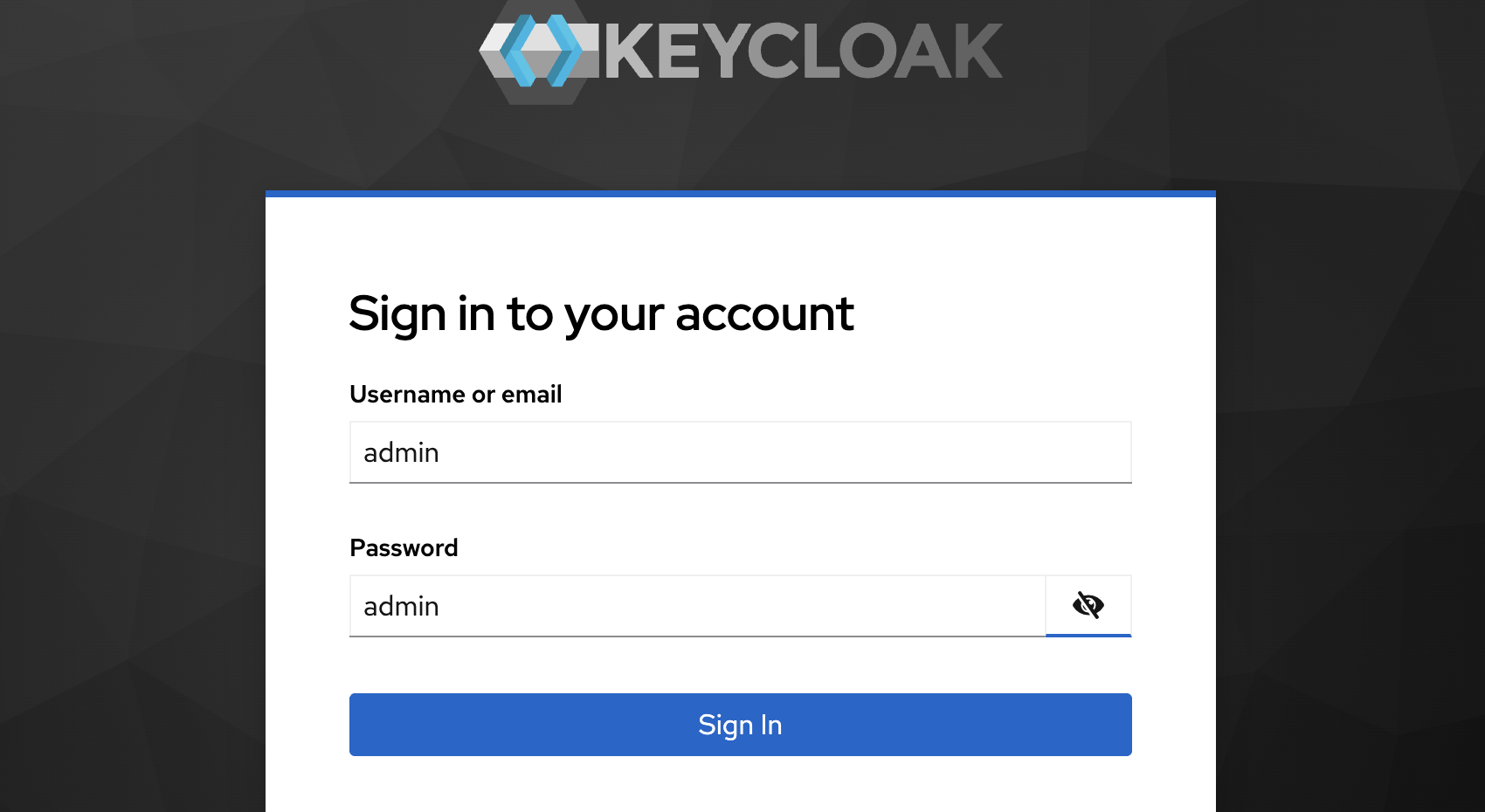
Once the container is up, you can configure your realm, clients, identity providers, roles, and user federation as usual.
Step 1b. Configure and start a managed Keycloak using Phase Two
If you want to get rid of any infrastructure provisioning struggle, you can opt to deploy your Keycloak clusters using Phase Two. First, sign up in the Phase Two dashboard and create a new account. You will be redirected to the dashboard main page.
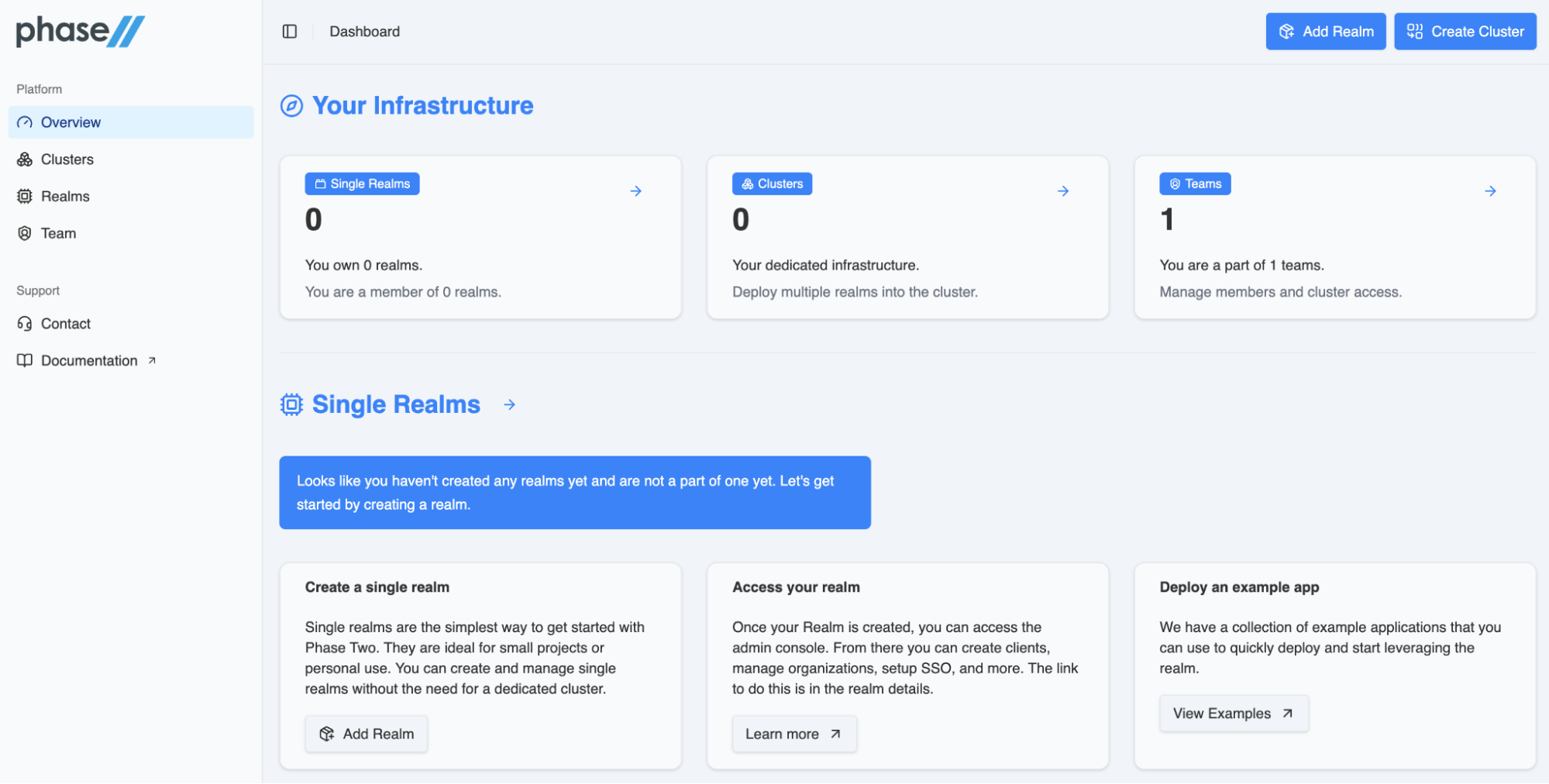
Here you can deploy clusters, create teams and create realms as you could do with the open-source Keycloak.
Step 2a. Create a realm in a self-hosted Keycloak
A realm in Keycloak is equivalent to a tenant. Each realm allows an administrator to create isolated groups of applications and users. Initially, Keycloak includes a single realm, called master. Use this realm only for managing Keycloak and not for managing any applications.
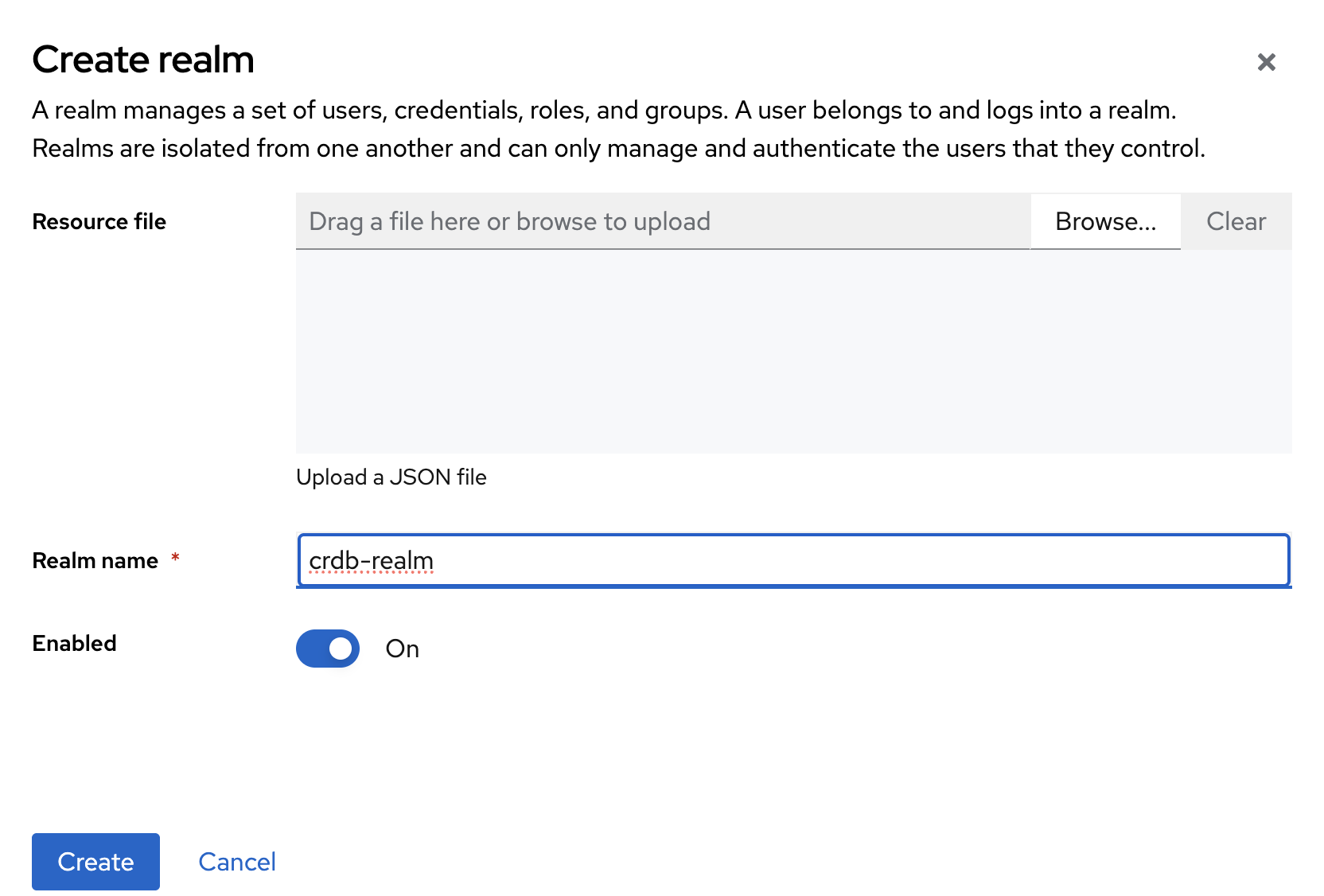
Follow these steps to create your own realm:
Open the Keycloak Admin Console in your browser.
In the top-left menu, locate Current realm and click Create Realm next to it.
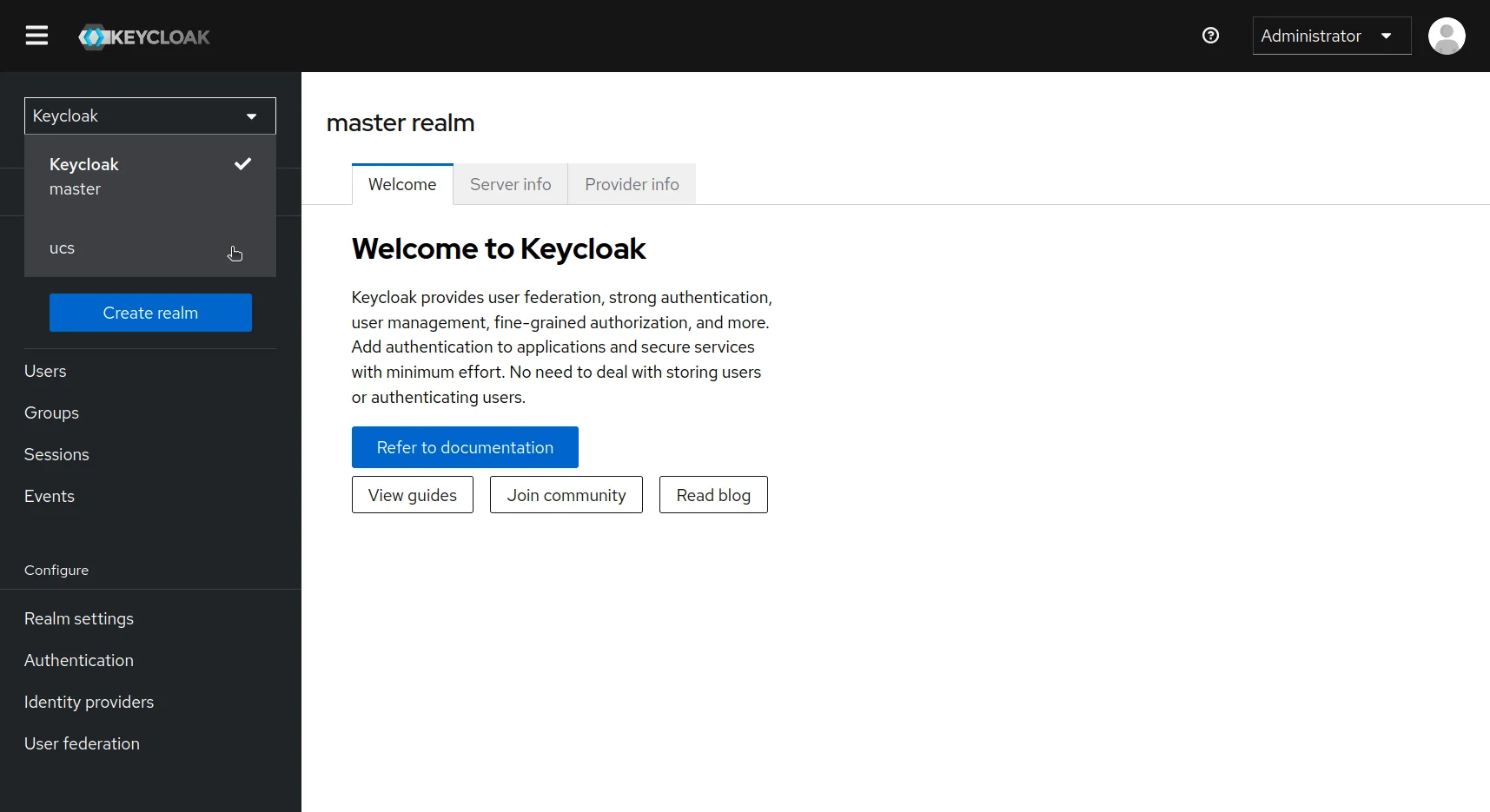
In the Realm name field, enter
crdb-realm.Click Create to finalize.
Step 2b. Create a realm in Phase Two
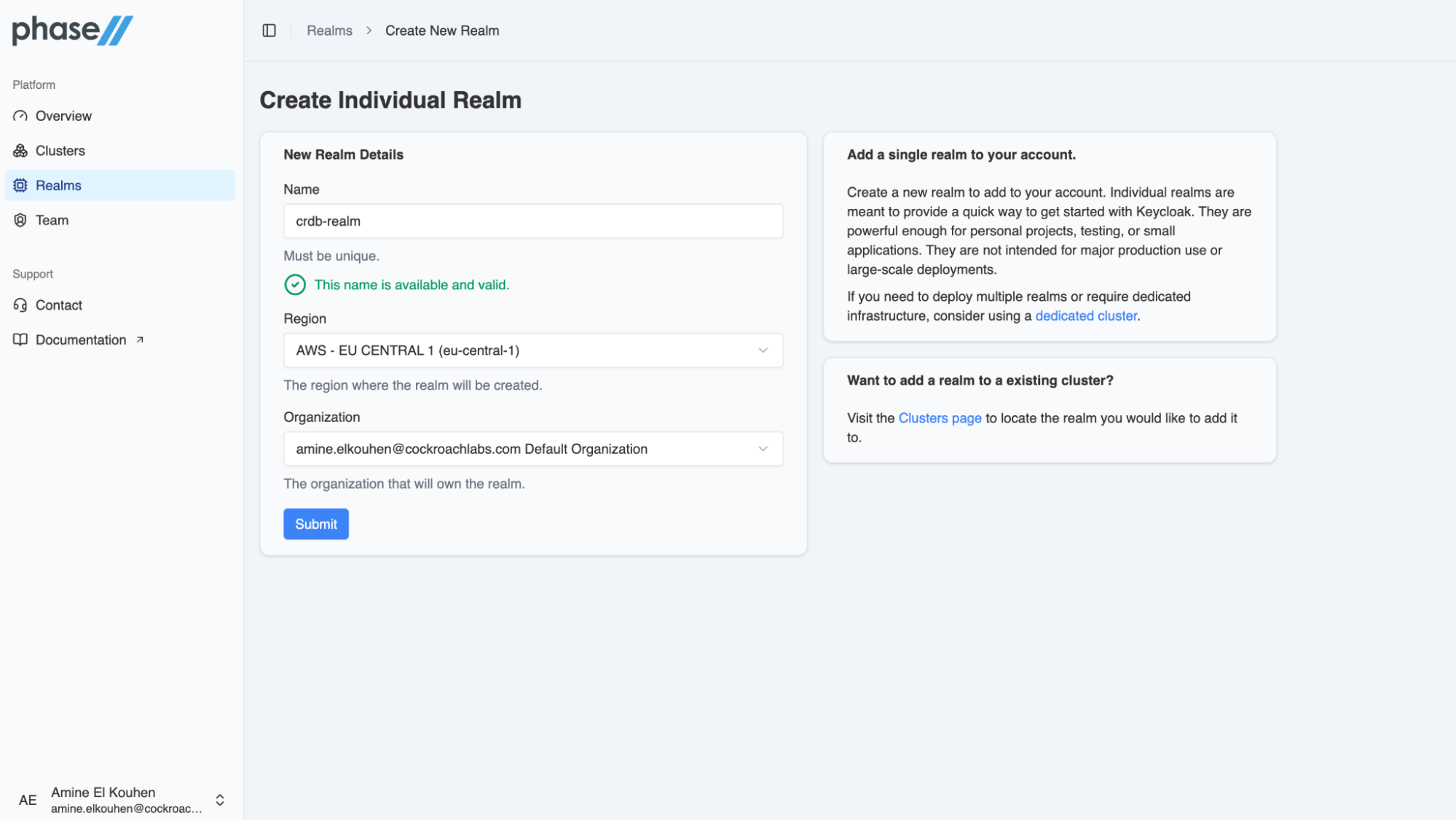
Creating a realm in PhaseTwo provides a quick way to get started with Keycloak. In the Create Realm menu, you need to set the realm name, the region where the realm should be located and the organization in which your realm will be provisioned.
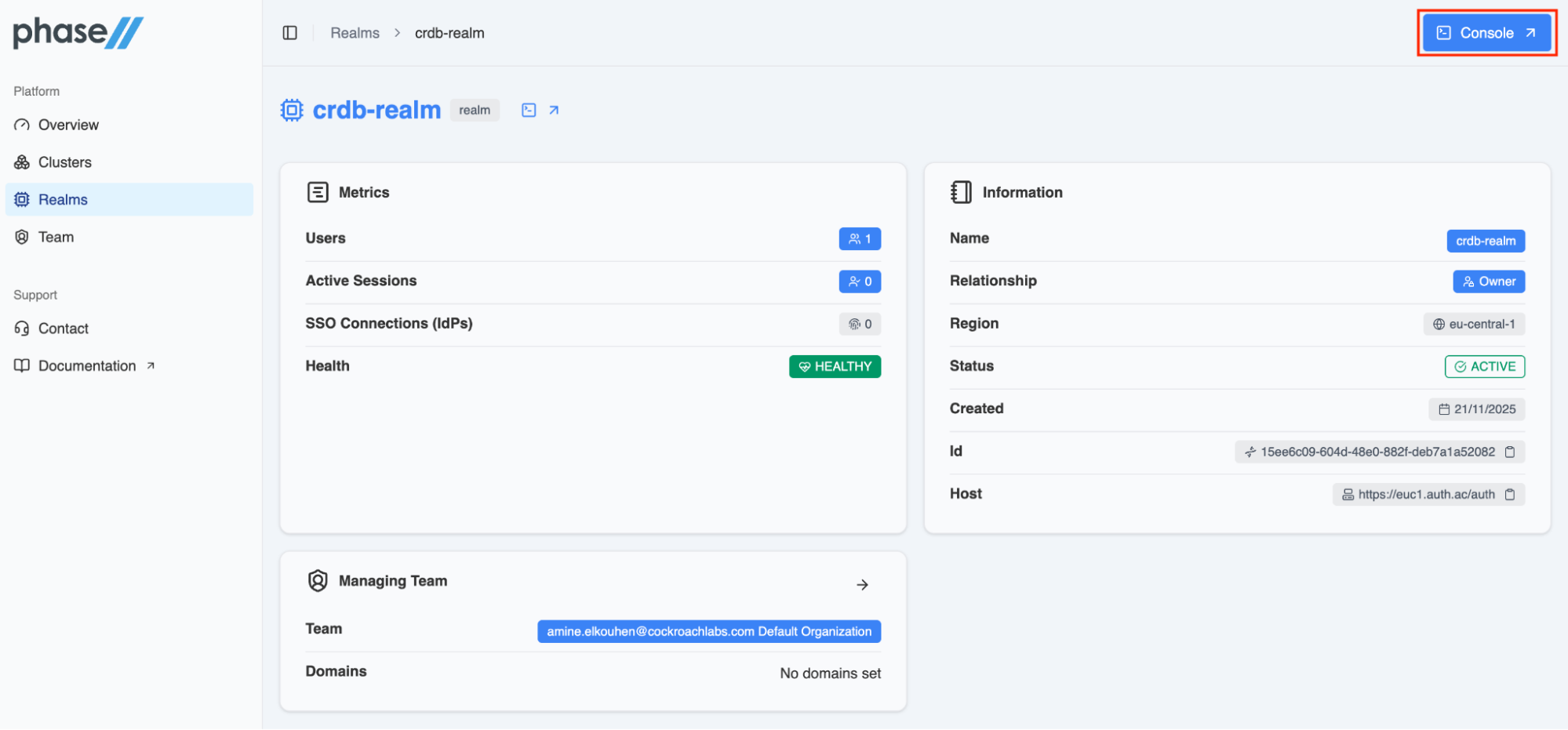
Once the realm is created and active, you can click on the Console menu in the upper right corner of the dashboard to open the Keycloak console.
For the remaining steps of this guide, you will perform the following actions in the Keycloak console similarly to the self-hosted deployment.
Step 3. Create a user
When you first create a realm, it contains no users. To add one, ensure you are still inside the crdb-realm realm (check next to Current realm).
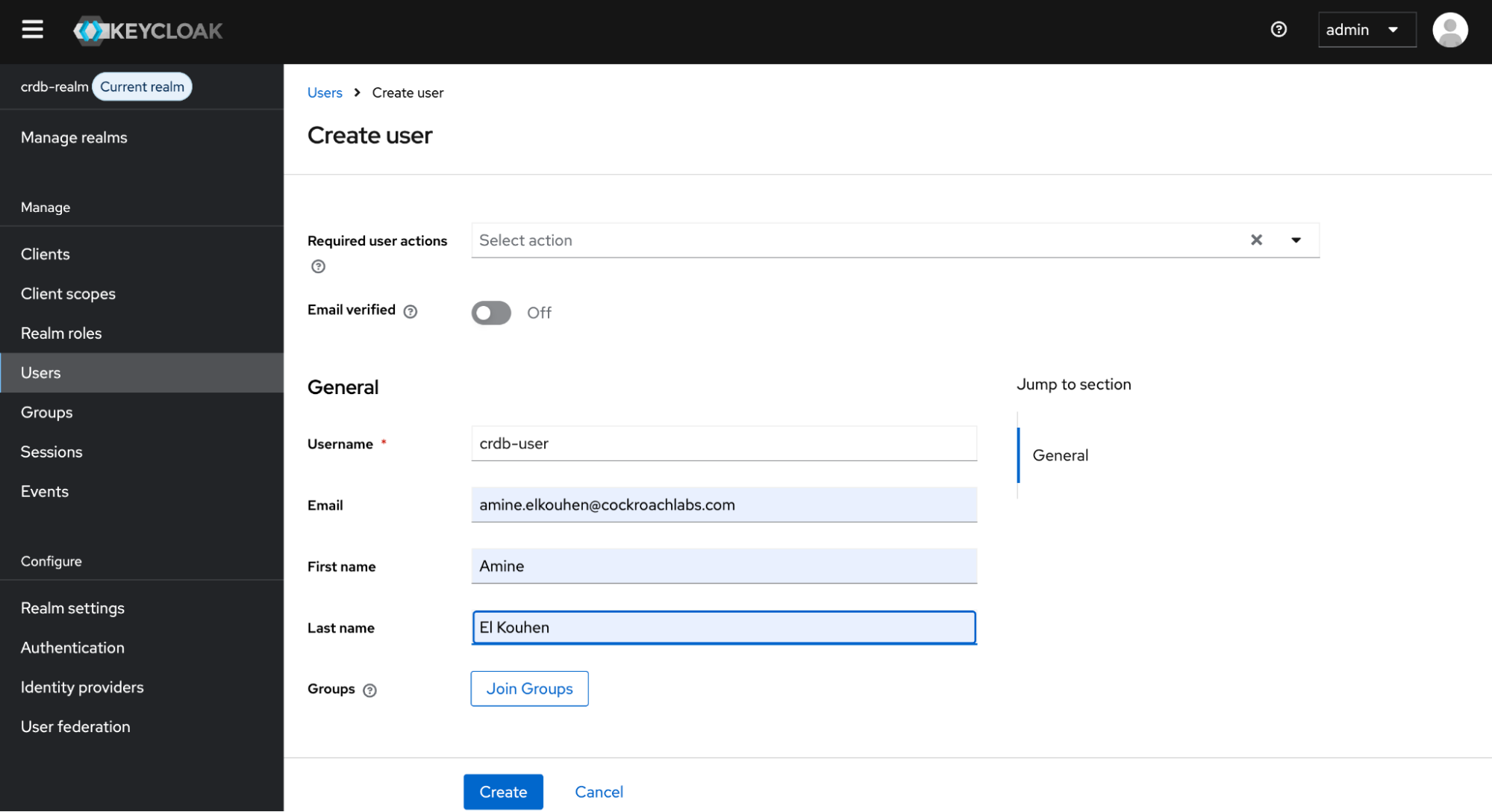
From the left-hand menu, click Users, click Create new user and fill out the form as follows:
Username:
crdb-userFirst name: any name you prefer
Last name: any name you prefer
Then, click Create to add the new user.
This user needs a password to log in. To set the initial password, click Credentials at the top of the page, fill in the Set password form with a password and toggle Temporary to Off so that the user does not need to update this password at the first login.
For self-hosted Keycloak, you can now log in to the local account Console to verify this user is configured correctly. For this, open the Keycloak Account Console (on port 8080), then log in with crdb-user and the password you created earlier.
If you choose a managed Keycloak, you can simply log to the remote account console then log in with crdb-user credentials.
As a user in the Account Console, you can manage your account including modifying your profile, adding two-factor authentication, and including identity provider accounts.
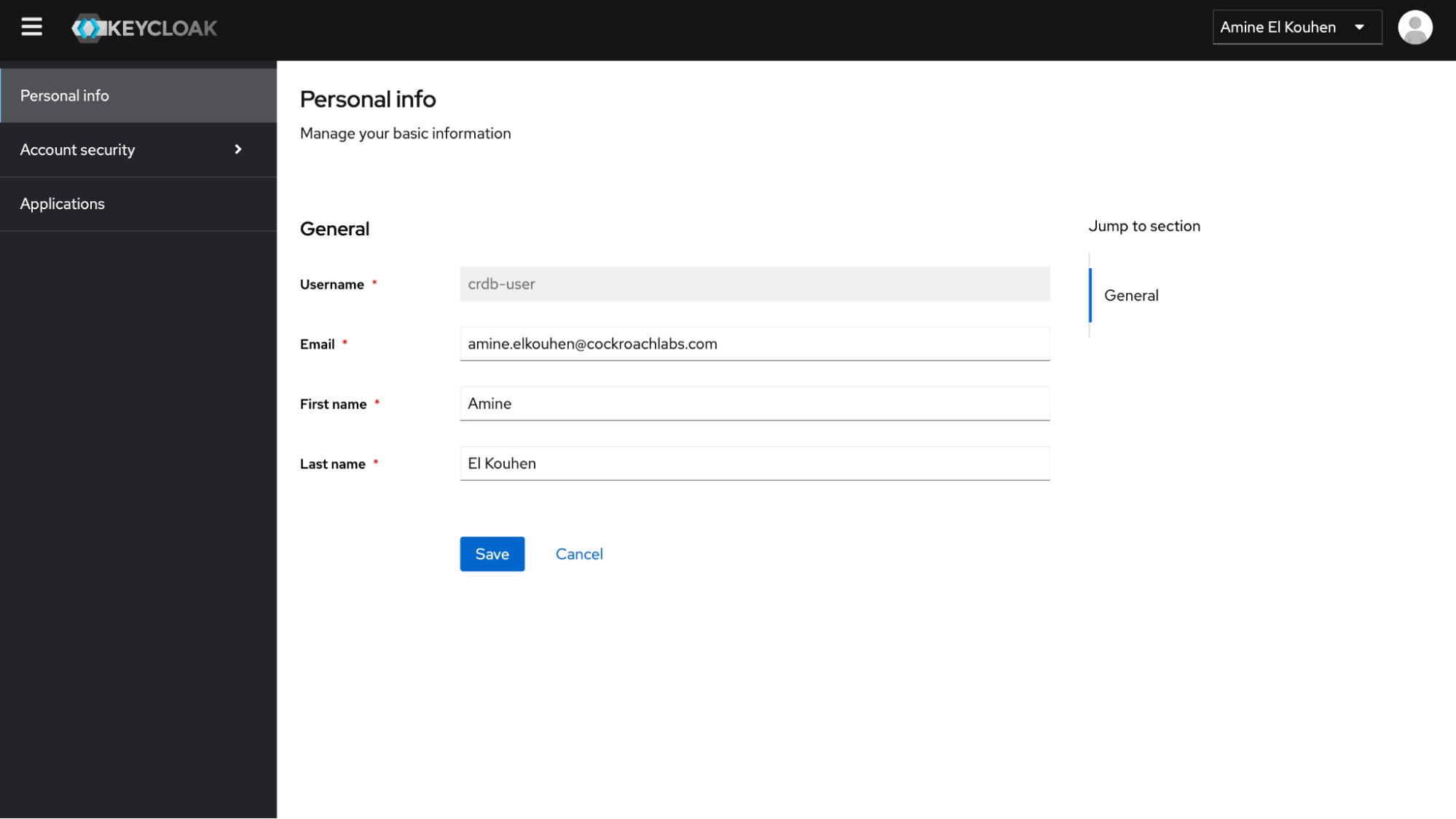
Step 4. Create and secure your first application.
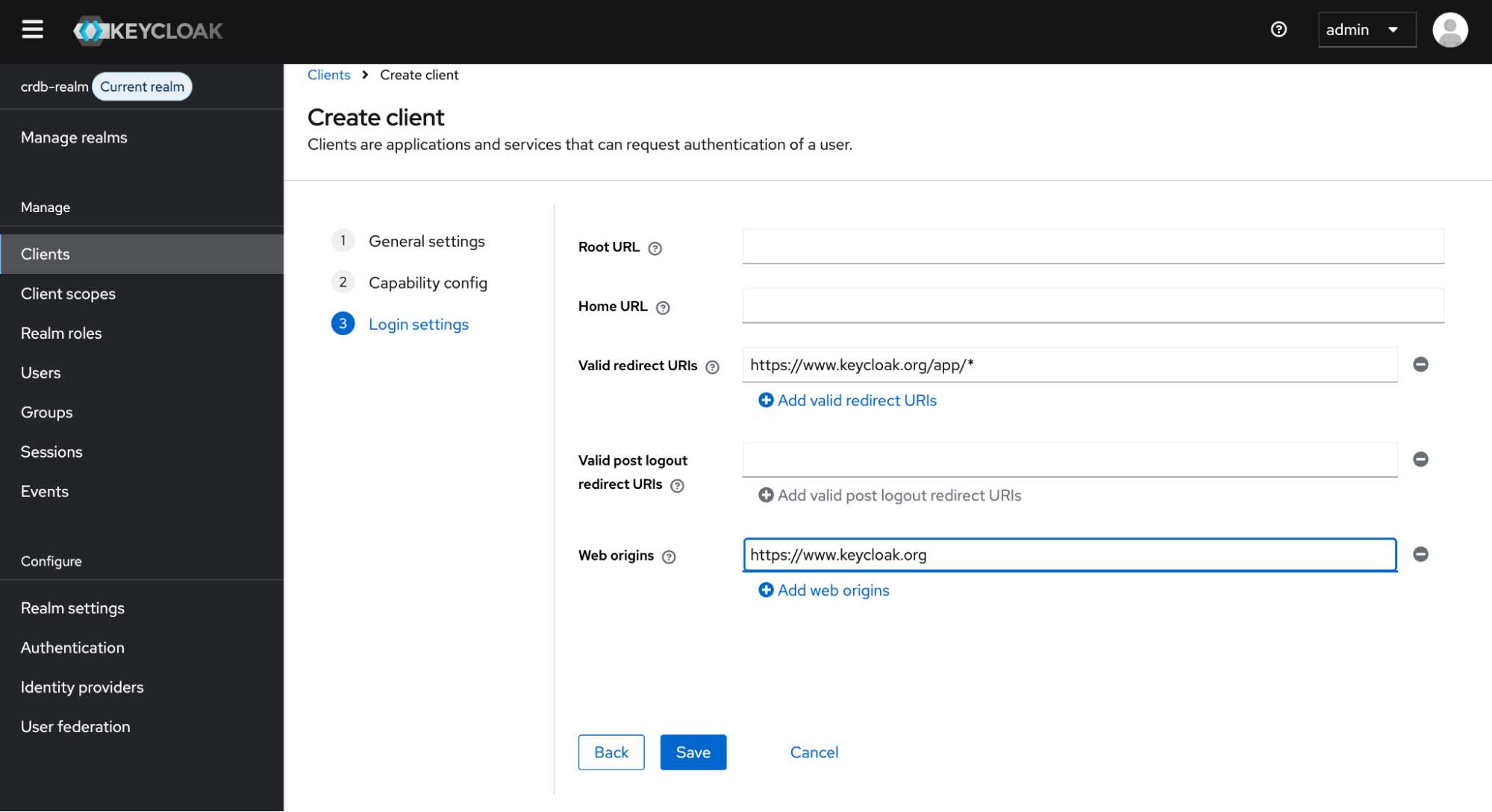
To secure the first application, you start by registering the application with your Keycloak instance. For this, open the Keycloak local admin Console or the remote admin console, depending on the deployment mode of Keycloak, click crdb-realm next to Current realm, then on the Clients tab and click Create client. Finally, fill in the form with the following values:
Client type:
OpenID ConnectClient ID:
my-app
Confirm that Standard flow is enabled and make these changes under Login settings:
Set Valid redirect URLs to
https://www.keycloak.org/app/*Set Web origins to
https://www.keycloak.org
Note that we set these URLs, because we will use the SPA testing application on Keycloak’s website (www.keycloak.org). For specific usage, you have to change these values accordingly.
Step 5. Testing the standard flow
To confirm the client was created successfully, you can use the SPA testing application on the Keycloak website. Set the configuration according to the values you already set (aka Keycloak Server URL, Realm and Client ID) and save.
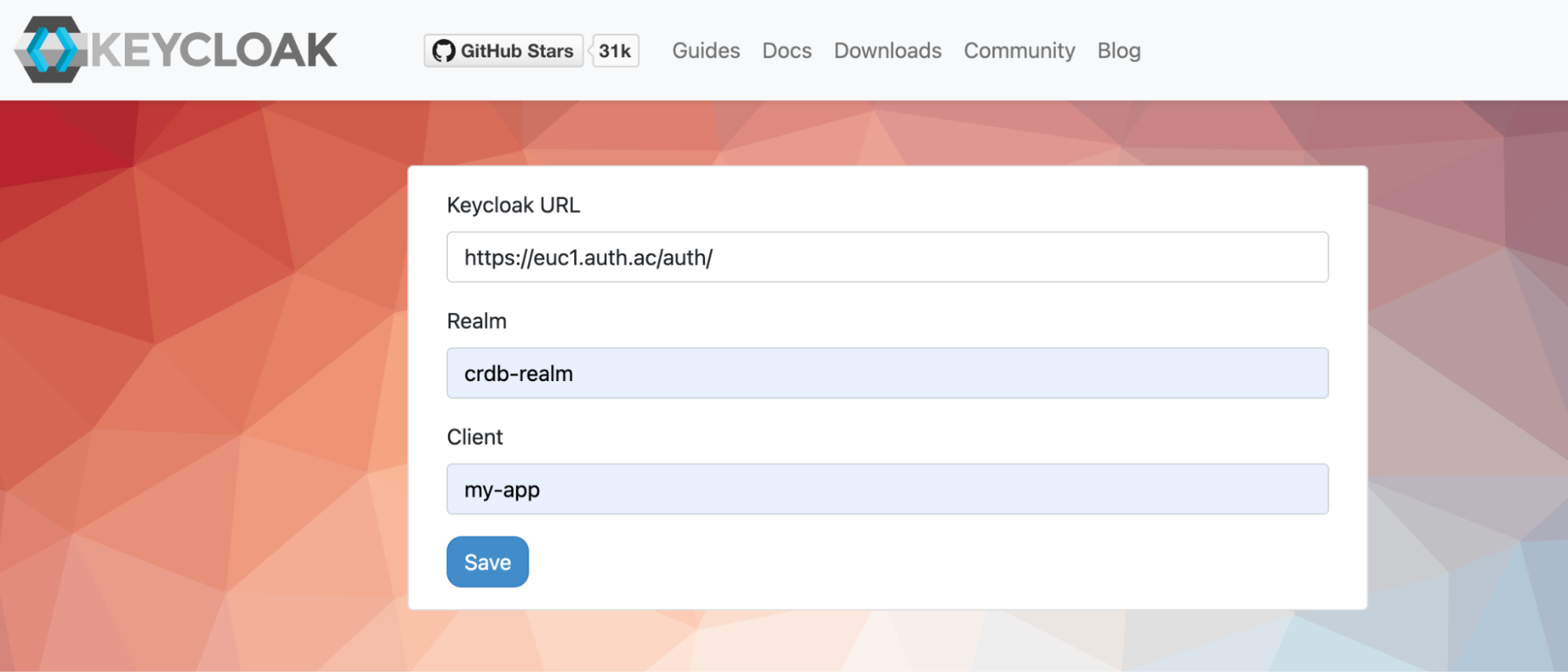
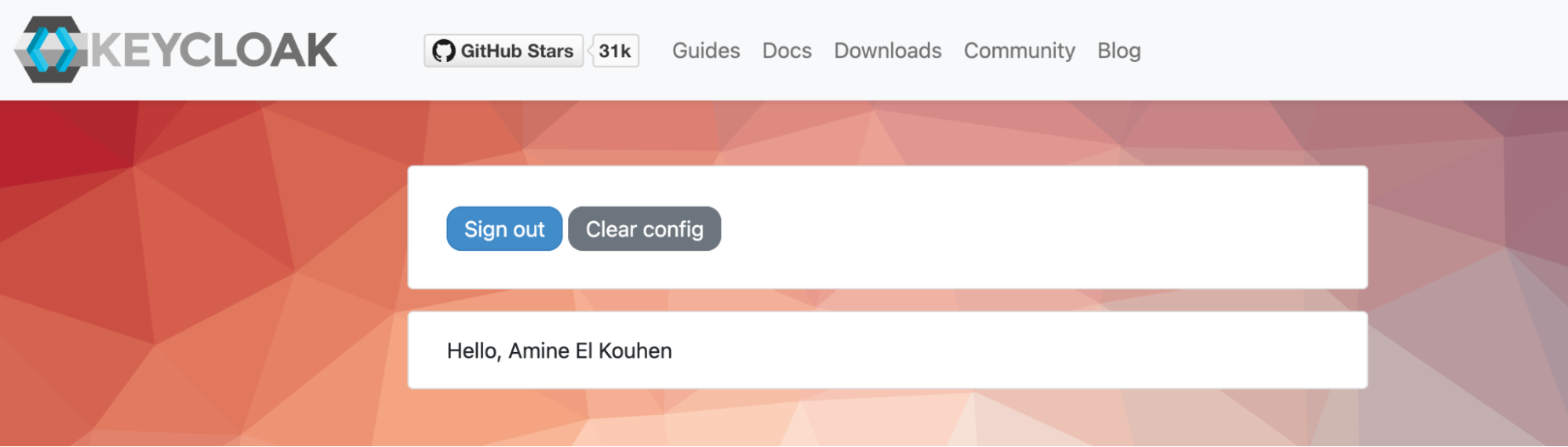
Then, click on “Sign In” to authenticate to this application using the user crdb-user you created earlier. Once you are logged in successfully, you should have the following greeting screen:
Since we selected the Standard Flow when creating the client, the following steps take place when the user tries to log in:
The user logs in through the client application.
Keycloak authenticates the user and generates an Authorization Code.
The user agent is redirected back to the application with this code.
The application sends the Authorization Code along with its client credentials to Keycloak’s token endpoint.
Keycloak returns an Access Token, Refresh Token, and ID Token to the application.
The below diagram shows the steps that happen in sequence and which components are involved.
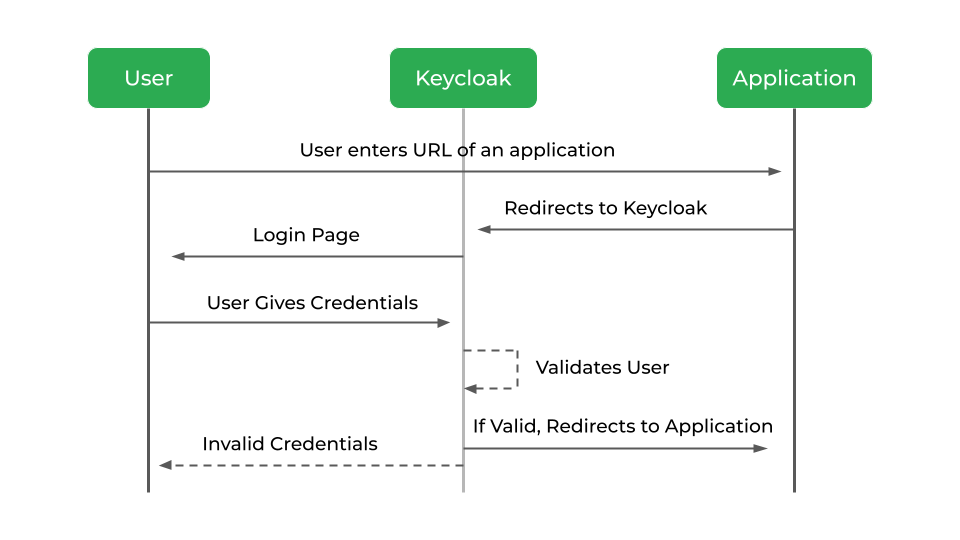
The flow is targeted towards web applications, but is also recommended for native applications, including mobile applications, where it is possible to embed a user agent.
Phase Two and CockroachDB: A Complementary Stack
In this post we have seen how Phase Two, a managed Keycloak platform, converges with CockroachDB, a globally distributed and strongly consistent SQL database, to create a solid identity and data foundation for multi-tenant SaaS applications.
Together, Phase Two and CockroachDB provide a complementary stack. Phase Two simplifies secure, multi-tenant identity management, while CockroachDB ensures durable, consistent, and scalable data storage. This combination allows teams to deliver reliable SaaS experiences faster with significantly reduced operational overhead.
Ready to build secure, multi-tenant SaaS identity at global scale? Talk to an expert.
Amine El Kouhen, Ph.D., is Sr. Partner Solutions Architect at Cockroach Labs. Amine is a Senior ISV Partnerships leader at Cockroach Labs (CRL), working on technical certification, innovation, GTM, and co-sell initiatives with CRL's strategic GSI and ISV partners. With more than 20 years of experience in implementing and supporting SQL, NoSQL and NewSQL databases, he held leadership and hands-on roles that span new market entry, GTM planning, and partner development. Amine holds a Ph.D. in Computer Sciences and was a former research associate in data and software architecture at Concordia University.